
IT Asset Management for Large Deployments: Best Practices
When managing thousands of IT assets, manual methods like spreadsheets fall short. IT Asset Management (ITAM) helps organizations efficiently track and control assets throughout their lifecycle, reducing costs, improving security, and ensuring compliance. Poor asset management can lead to unnecessary expenses, such as "ghost assets" inflating tax and insurance costs. With global IT spending projected to surpass $5 trillion by 2024, implementing automated tools and standardized processes is critical.
Key takeaways:
- Cost Savings: Identify unused licenses to cut software costs by up to 30%.
- Improved Accuracy: Automated tools reduce errors and provide real-time visibility.
- Compliance: Avoid penalties by maintaining accurate records and adhering to standards.
- Scalability: Standardized workflows and centralized data simplify large-scale management.
For large organizations, ITAM isn't just about tracking devices - it's about smarter decisions, better resource allocation, and reducing financial risks. Tools like AssetRemix streamline the process, offering features like automated discovery, centralized tracking, and flat-rate pricing.
Start by defining clear goals, assigning roles, and standardizing processes across the asset lifecycle. Incorporate automation and analytics to optimize operations and maintain a centralized, secure inventory.
A Comprehensive Guide to Enterprise Asset Management (EAM)
Building an ITAM Framework That Scales
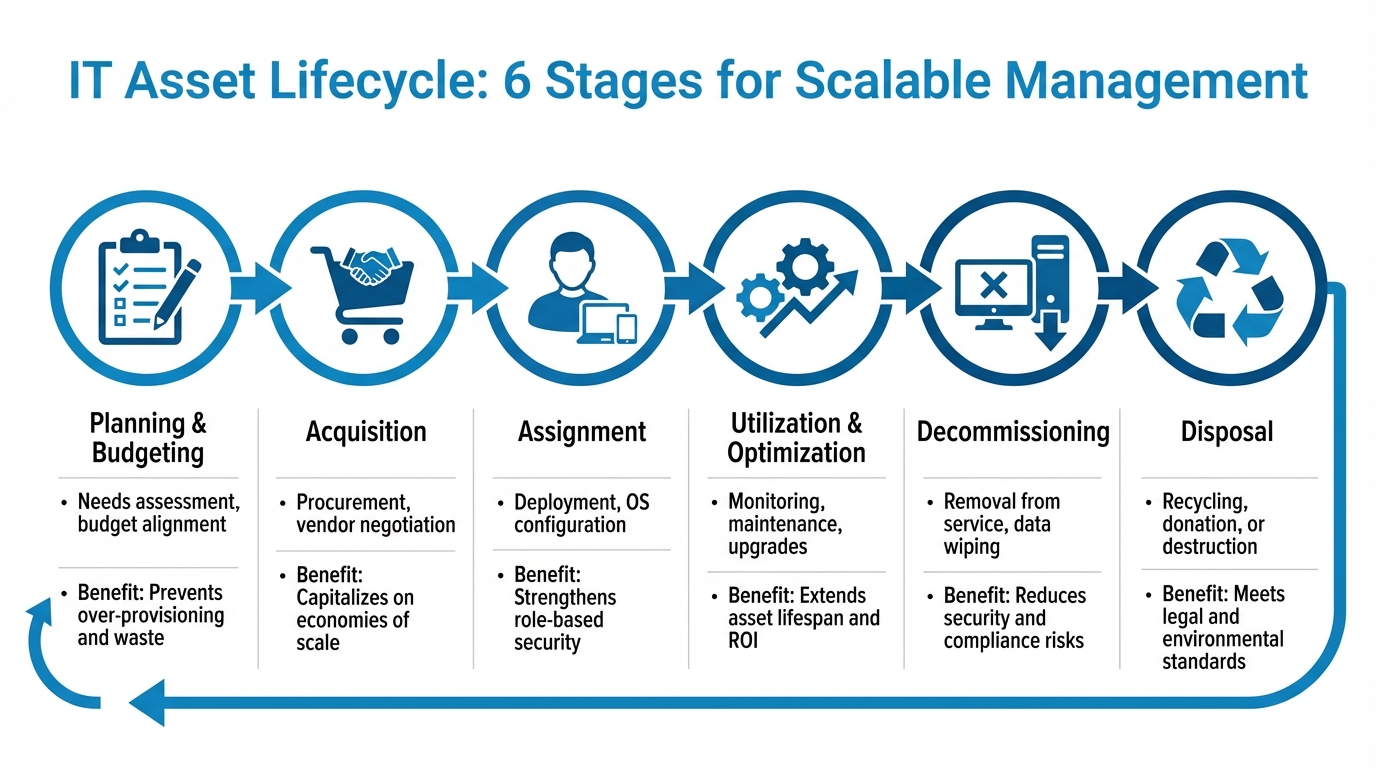
IT Asset Lifecycle Management: 6 Stages for Optimized Asset Control
Creating an ITAM framework that can grow with your organization requires a solid foundation: clear governance, standardized processes, and centralized data management. These elements help avoid fragmented tracking and ensure the system evolves without frequent overhauls.
Setting Goals and Governance Policies
Start by defining clear objectives that align with your business priorities. Common goals include improving asset visibility, enhancing security, maintaining compliance, and reducing costs through better resource usage. Instead of trying to revamp everything at once, evaluate your current tools and team structure to identify immediate opportunities for improvement.
Assign specific roles within your IT team to ensure accountability. For example:
- Asset Owners: Handle budget and sponsorship decisions.
- Asset Custodians: Oversee daily usage and maintenance.
- License Managers: Ensure software and cloud compliance.
Without these defined roles, responsibilities can become unclear, leading to missed oversight and inefficiencies.
"IT asset management is not a project. You don't do it once and expect it to be finished. ITAM is a process that teams execute on a regular basis." – Atlassian
Focus on high-impact assets first, such as critical servers and workstations, to secure leadership support. These assets are essential for business continuity and help address Finance's need for cost data and Operations' focus on lifecycle tracking. This targeted approach lays the groundwork for broader implementation and standardization.
Standardizing Asset Lifecycle Processes
With goals and roles in place, the next step is to standardize processes across the asset lifecycle. A well-defined six-stage lifecycle ensures consistent and scalable management. These stages include: Planning and Budgeting, Acquisition, Assignment, Utilization and Optimization, Decommissioning, and Disposal. Each stage should have clear activities and smooth handoffs between teams.
| Lifecycle Stage | Key Activities | Benefit |
|---|---|---|
| Planning | Needs assessment, budget alignment | Prevents over-provisioning and waste |
| Acquisition | Procurement, vendor negotiation | Capitalizes on economies of scale |
| Assignment | Deployment, OS configuration | Strengthens role-based security |
| Utilization | Monitoring, maintenance, upgrades | Extends asset lifespan and ROI |
| Decommissioning | Removal from service, data wiping | Reduces security and compliance risks |
| Disposal | Recycling, donation, or destruction | Meets legal and environmental standards |
To maintain visibility and avoid shadow IT, implement a unified data model with consistent labeling for all assets, whether hardware or cloud-based. Standardize attributes like department, location, and project to simplify tracking. For smaller items like keyboards and mice, group them under a single asset ID to streamline management for large-scale deployments.
Establish a formal decommissioning process to handle tasks like data sanitization and license recovery. Planning asset retirement in advance helps mitigate security risks and allows for cost recovery by reallocating unused licenses. Finally, integrate your ITAM system with IT Service Management tools to ensure incident, change, and configuration management all pull from a centralized database.
Using ITAM Tools for Large Deployments
When managing assets on a large scale, having a robust ITAM (IT Asset Management) tool is no longer optional - it’s essential. Manual methods quickly become impractical when you're dealing with hundreds or even thousands of devices. Dedicated ITAM tools address these challenges by streamlining processes with automated discovery, centralized tracking, and real-time updates across your entire infrastructure.
How AssetRemix Simplifies Large-Scale Asset Management
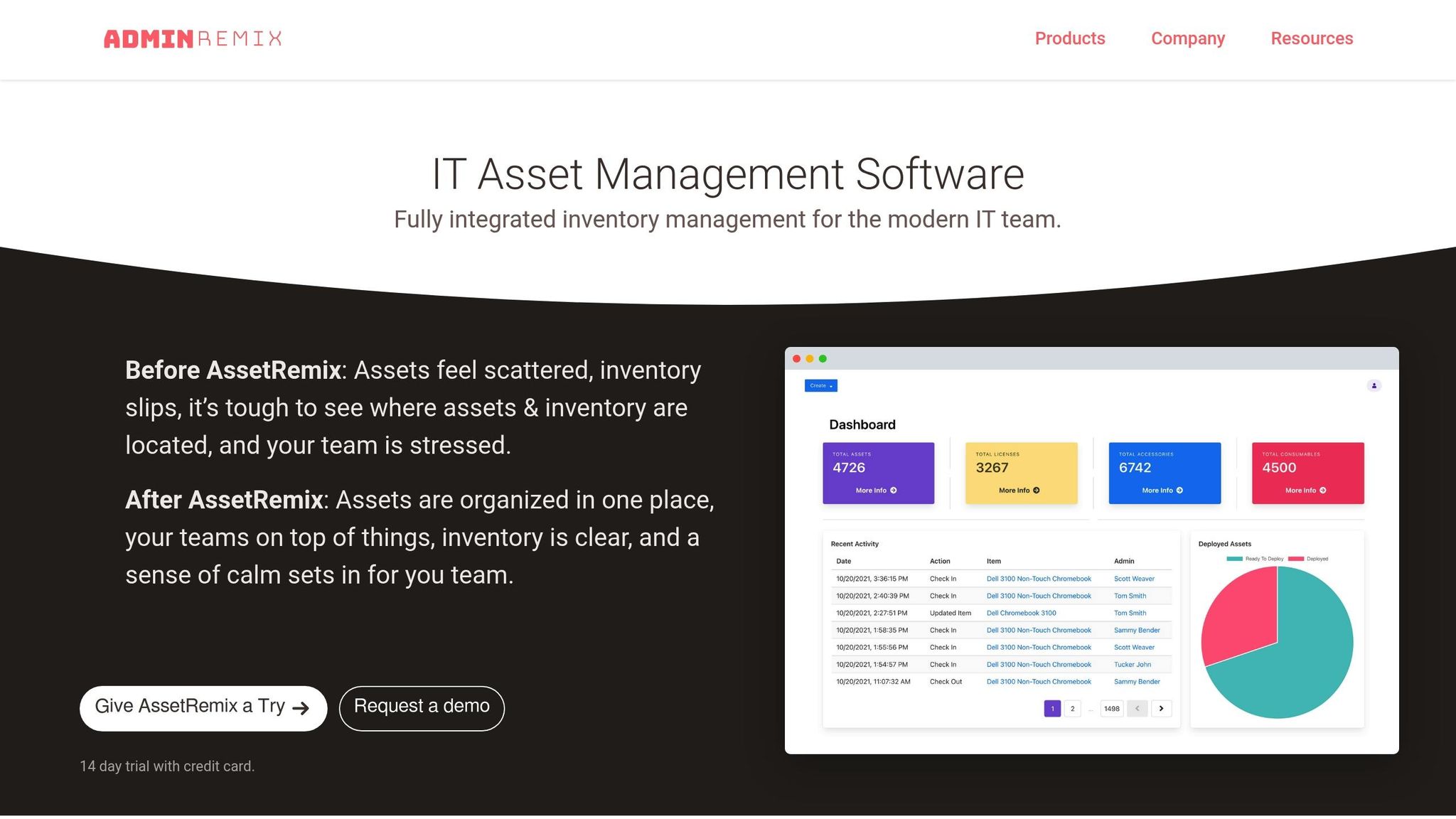
AssetRemix is designed to handle massive inventories, managing over 500,000 IT assets daily and offering organizations a single source of truth for their asset management needs. This cloud-based platform keeps track of the entire asset lifecycle, including funding sources, assignment records, maintenance schedules, and IT Asset Disposition (ITAD), all within one system.
The tool integrates seamlessly with other systems, such as Google Workspace and Lansweeper, for automated device imports and discovery. It also supports Chromebook sync for education-focused deployments. Outbound webhooks ensure real-time data synchronization with ERPs and other business systems, maintaining consistency across your IT infrastructure. Security is a top priority, with features like 256-bit SSL encryption, two-factor authentication, and role-based access control (RBAC) that restricts access based on user roles.
For physical asset tracking, AssetRemix generates barcodes that can be scanned using mobile devices, simplifying audits and deployments.
"The system is responsive, efficient, and cost-effective." – Jim Beasley, Llano ISD
AssetRemix’s pricing is straightforward: $99/month or $999/year, covering unlimited assets and help desk agents. This flat-rate model eliminates the headache of escalating per-device costs, making it a cost-effective solution for large deployments.
Automation That Keeps Everything Running Smoothly
At scale, automation becomes the backbone of efficient IT operations, and AssetRemix delivers on this front. The platform uses directory sync to automatically manage user and asset records, ensuring personnel-asset links are always up-to-date without manual intervention. For example, when a device is checked out, its status changes instantly from "In Stock" to "Assigned", with updates reflected across all integrated systems.
The tool also automates reminders for overdue assets, warranty expirations, and maintenance tasks, helping teams stay on top of their responsibilities. Custom fields let you organize assets by specific criteria such as building, department, or funding source, making it simple to generate detailed reports tailored to your organization’s needs.
"Overall, AssetRemix has made my life a lot easier. It has turned our slothful device rollouts into a quick and seamless process." – Arrington Douglas, Malakoff ISD
"The inventory takes less time, and we can retrieve data instantly." – Pauline McGinnis, Kipp Indy Public Schools
With its automation capabilities and user-friendly features, AssetRemix transforms the complexity of large-scale asset management into a streamlined and efficient process.
sbb-itb-c68f633
ITAM Best Practices for Large Organizations
Maintaining a Centralized Asset Inventory
Keeping a centralized inventory is essential for gaining full visibility into your assets. It eliminates the chaos of scattered spreadsheets and disconnected systems, which is especially important when managing thousands of devices across multiple locations. A unified system allows for smarter, more informed decisions.
To start, use automated discovery tools that scan your network for details like IP addresses, manufacturers, and software versions. Combine agent-based and agentless discovery methods to cover hybrid environments effectively. This reduces the manual effort of tracking assets and ensures your inventory stays up-to-date as devices are added, moved, or retired.
Assets typically go through six lifecycle stages: Planning, Acquisition, Assignment, Utilization/Optimization, Decommissioning, and Disposal. Standardizing your tagging system with consistent labels - such as location, department, and asset type - makes tracking easier across both on-premises and cloud resources.
Regular audits are a must to catch data discrepancies and prevent security risks. For example, one company with $2 million in revenue found it was losing $50,000 annually on ghost assets alone.
"A properly developed IT asset management program will require the participation of an entire workforce in order to be successful." - Mike Woods, Fixed Asset Market Manager, Camcode
A well-maintained inventory also strengthens access controls, ensuring your ITAM system remains accurate and secure.
Setting Up Role-Based Access and Security Controls
Role-based access control (RBAC) is a key step in protecting your asset data. It ensures that only authorized personnel can change critical information, such as financial records, purchase dates, or disposal statuses. This is especially vital in large organizations, where many employees need varying levels of access.
Define clear roles to streamline responsibilities: Asset Owners manage budgets, Asset Custodians handle day-to-day operations, and License Managers oversee compliance. This hierarchy creates accountability and reduces the risk of unauthorized changes that could compromise data integrity or lead to compliance issues.
RBAC also helps tackle Shadow IT - hardware or software purchased without IT approval. Routing all acquisitions through your ITAM system minimizes security risks and eliminates unnecessary spending. This is crucial, considering the global average cost of a data breach is around $4.9 million.
Automated security monitoring adds another layer of protection by identifying unauthorized installations and keeping track of patch updates. With centralized access controls, you can effectively manage thousands of devices across multiple locations while maintaining compliance and strong data governance.
Using Data Analytics for Better Decisions
Once your inventory and security are in place, data analytics can take your ITAM processes to the next level. Analytics turn raw asset data into actionable insights, helping you make smarter decisions about procurement, maintenance, and resource allocation. For example, by analyzing usage patterns, you can spot underutilized assets, redundant licenses, or inefficiencies in your data centers.
Predictive analytics goes even further, using machine learning to anticipate future needs. This can help you forecast potential asset failures, schedule maintenance proactively, and flag compliance risks before they escalate. Optimizing license management alone can cut software costs by up to 30% by identifying unused subscriptions.
"90% of respondents believed that the rapidly changing business, regulatory, and technology environment is straining their efforts to enhance IT asset management (ITAM) maturity." - Deloitte
Analyzing costs - such as maintenance, capital expenses, and disposal - gives you a clear picture of total ownership costs. This financial transparency supports better budgeting and helps justify decisions like hardware upgrades or cloud migrations. Integrating your ITAM system with your ERP system allows you to combine asset aging reports with financial depreciation data, enabling more accurate ROI calculations.
Automated lifecycle alerts can further streamline operations by notifying you of critical dates such as warranty expirations, end-of-support deadlines, and potential hardware issues. The impact of these practices is clear: Homebuilder M/I Homes reduced incidents by nearly 30% after optimizing their ticketing system with ITAM insights, and Pine Labs improved Mean Time to Detection (MTTD) and Mean Time to Resolution (MTTR) by 40% to 50% by consolidating tools and using integrated reporting.
Conclusion
Managing IT assets on a large scale demands consistent attention and ongoing processes. As one expert puts it, "IT asset management is not a project. You don't do it once and expect it to be finished. ITAM is a process that teams execute on a regular basis". The goal is to establish a framework that evolves with your organization - centralizing data, automating asset discovery, and ensuring collaboration across finance, operations, and security teams.
The financial stakes are high. Around 36% of software spending is wasted on underutilized tools, and 80% of IT costs come after the initial purchase. However, by adopting the right strategies - such as maintaining centralized inventories, implementing role-based access, and leveraging data-driven insights - you can cut software expenses by up to 30% and eliminate costly ghost assets.
To get started, focus on high-risk, mission-critical assets for quick results. Use standardized tagging to assign every device an owner, environment, and cost center, and set up automated alerts for key lifecycle events like warranty expirations and renewals. Regular audits are also critical to catching and resolving discrepancies early. These steps require a well-integrated solution to bring them to life.
AssetRemix offers a streamlined way to manage IT assets at scale, featuring unlimited asset support, automated discovery, and help desk integration - all starting at $99/month. Its flat-rate pricing makes it easier to consolidate costs and maintain oversight.
Whether you're overseeing thousands of devices across multiple locations or managing hybrid cloud environments, having a strong ITAM framework is essential to staying secure, compliant, and cost-effective.
FAQs
How can IT asset management tools help save on software costs?
IT asset management (ITAM) tools can play a big role in cutting down software costs by offering detailed visibility into license usage. They help pinpoint unused or duplicate licenses, ensuring your company only spends money on what’s actually being used. On top of that, these tools assist in making smarter purchasing decisions by analyzing and optimizing software usage, with potential savings of up to 30% on software expenses in the first year.
By simplifying how licenses are managed and how software is procured, ITAM tools don’t just save money - they also boost efficiency. This makes them an invaluable resource for IT teams handling large-scale deployments.
What are the main stages of an IT asset lifecycle?
The IT asset lifecycle is made up of four main stages: planning and procurement, deployment and implementation, operation and maintenance, and retirement and disposal. Each step is essential for managing assets effectively and keeping them aligned with business objectives.
In the planning and procurement stage, the organization identifies its needs and acquires the necessary assets to meet those requirements. The deployment and implementation phase focuses on configuring the assets and distributing them so they’re ready for use. During the operation and maintenance stage, the focus shifts to monitoring and maintaining the assets to ensure they perform as expected. Lastly, the retirement and disposal stage involves securely decommissioning or disposing of assets that are no longer functional or needed.
Why is role-based access control essential for managing IT assets?
Role-based access control (RBAC) plays a key role in IT asset management by ensuring team members access only what they need based on their specific roles. Assigning permissions tied to responsibilities helps prevent unauthorized access, lowers the chances of human error, and strengthens overall security.
Beyond security, RBAC simplifies operations. It allows IT teams to handle large-scale deployments more efficiently while staying aligned with internal policies and regulatory requirements. By safeguarding sensitive data and maintaining clear accountability, RBAC supports a well-structured and secure IT environment.