
Best Google Workspace Tools for IT Administrators
Managing Google Workspace can be challenging, especially as your organization grows. The Admin Console provides a solid foundation for overseeing users, devices, and security. However, specialized tools like AdminRemix Chromebook Getter, User Getter, and AssetRemix can save time and improve efficiency by automating repetitive tasks. Here's a quick overview of the tools covered:
- Admin Console: Core management hub for users, devices, and security.
- AdminRemix Chromebook Getter: Simplifies Chromebook metadata updates via Google Sheets.
- AdminRemix User Getter: Speeds up bulk user account management with Google Sheets integration.
- AdminRemix AssetRemix: Centralized IT asset management with flat-rate pricing.
For smaller teams, the Admin Console may suffice. Larger organizations, however, might benefit from the advanced automation features offered by AdminRemix tools.
Essential Google Workspace Admin Tips for 2024 [Intermediate/Advanced]

1. Google Workspace Admin Console
The Admin Console serves as the central hub for managing your Google Workspace setup. It provides a unified platform to oversee users, devices, and security policies, ensuring seamless control across your organization.
User Management
Managing user accounts is straightforward with the Admin Console. From a single interface, you can create user profiles, assign passwords, set up email addresses, and even configure mailing lists or alternate email accounts. Tasks like resetting passwords or organizing users into departments or project groups can also be handled easily.
For added convenience, the Google Admin app is available on Android and iOS, allowing you to perform key administrative tasks - like adding users or resetting passwords - right from your mobile device. This ensures you can address urgent needs no matter where you are.
This efficient user management system lays the groundwork for maintaining strong security protocols.
Security Monitoring
The Admin Console's security center helps you identify potential risks and offers recommendations to improve your system's defenses. You can enforce two-factor authentication, set password policies, and apply security settings across all Workspace applications. Security reports give you insights into your domain's vulnerabilities, track the adoption of 2-Step Verification, and monitor third-party app installations on employee devices.
For more in-depth oversight, the audit and investigation tools provide detailed logs of activities, including administrator actions and mobile device usage. You can also enable admin email alerts to receive real-time notifications about suspicious login attempts or unauthorized changes to settings.
Device Management
The Admin Console simplifies device management, whether you're handling company-owned equipment or implementing a Bring Your Own Device (BYOD) policy. From one dashboard, you can distribute apps, enforce security measures, and, if necessary, remotely wipe corporate data while leaving personal files untouched. Mobile activity reports further enhance oversight by helping you identify usage trends and potential security risks before they escalate.
2. AdminRemix AssetRemix for IT Asset Management

AdminRemix AssetRemix takes the centralized control of the Admin Console and adds a powerful layer of IT asset management tailored for Google Workspace environments. It pulls all your asset data into one place, manages asset lifecycles, and connects seamlessly with ticketing systems.
Device Management for Asset Lifecycle
With AssetRemix, IT teams get a single platform to manage all asset information. This central hub makes it easier to oversee the entire lifecycle of IT assets - from acquisition to retirement. Teams can track usage, plan maintenance, and make smarter budgeting decisions without juggling multiple tools. Plus, its smooth integration with ticketing and reporting tools simplifies IT operations even further.
Automating Workflows
AssetRemix doesn’t just manage assets - it ties them directly into your support ticketing system. Built-in data import and export functions ensure records stay accurate, while reporting becomes a breeze for IT teams. This connection between asset management and ticketing helps reduce manual work and keeps everything running efficiently.
And the best part? The pricing is simple and transparent. For $99/month or $999/year, you get unlimited access - covering all assets, agents, and incidents. The plan also includes features like SSO, directory sync, and strong security, making it easier to manage your IT budget without surprises.
3. AdminRemix Chromebook Getter for Device Management
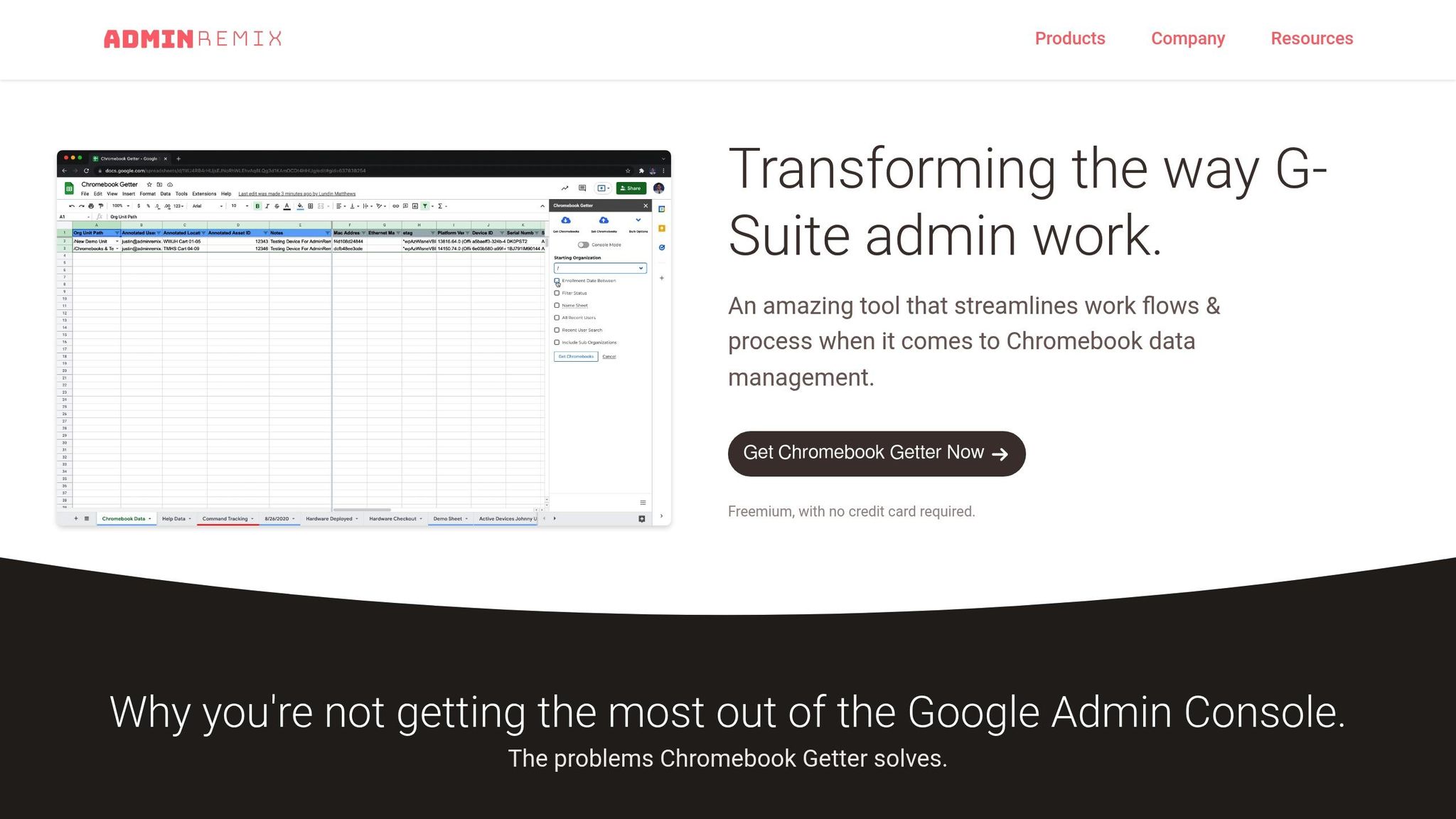
AdminRemix Chromebook Getter is a powerful tool tailored for IT teams managing large-scale Chromebook deployments. With over 3 million installations and an impressive 4.3 out of 5-star rating on the Google Workspace Marketplace, this tool makes Chromebook management easier by integrating with Google Sheets. It allows admins to view and update Chromebook metadata efficiently. Here’s how it simplifies device management and saves time through automation.
Device Management
This tool is built to handle the challenges of managing hundreds or even thousands of Chromebooks across multiple locations. By pulling all Chromebook metadata into Google Sheets, IT teams can make bulk updates and push changes across their entire fleet. This enables better tracking of usage patterns, enforcement of policies, and configuration updates - all from a single, user-friendly environment.
Workflow Automation
Chromebook Getter takes the hassle out of routine device management tasks. Using Google Sheets as the interface, admins can rely on familiar tools like formulas, filters, and sorting to organize device data. For example, you can filter Chromebooks by department or location, make the necessary updates, and push those changes in just a few minutes. It’s a straightforward way to cut down on admin time while keeping your fleet up to date.
sbb-itb-c68f633
4. AdminRemix User Getter for User Management

AdminRemix User Getter offers a Google Sheets–based tool designed to simplify bulk updates of user account metadata. With over 107,000 installations and a perfect 5.0 rating, it’s a go-to solution for IT administrators looking to streamline user management.
User Management
Managing user accounts in large organizations can be a logistical headache. AdminRemix User Getter simplifies this by pulling all domain user account metadata into Google Sheets. This allows administrators to view, edit, and update user information in bulk - no more tedious, one-at-a-time updates. Whether it’s adjusting organizational units, updating job titles, or reassigning department roles, changes can be made for multiple users and applied with a single action.
Workflow Automation
By using the familiar interface of Google Sheets, admins can take advantage of formulas, filters, and sorting tools to speed up the update process. Instead of navigating through the Admin Console to update each user individually, you can organize data by department, apply filters, and execute batch updates in minutes. This is especially helpful for tasks like employee onboarding, internal transfers, or restructuring, saving IT teams valuable time on routine account management.
Comparison of Features and Pricing

Google Workspace Admin Console vs AdminRemix Tools: Features and Pricing Comparison
When deciding on the best tools for managing your Google Workspace environment, it's essential to weigh both functionality and cost. The Google Workspace Admin Console is included with your subscription, with pricing ranging from $5.88 to $18.48 per user per month (Enterprise pricing is available through contacting sales). This subscription provides access to fundamental tools like user management, security monitoring, and device management.
While the Admin Console offers essential administrative controls, it lacks advanced automation features that can significantly cut down on repetitive tasks.
On the other hand, AdminRemix tools expand on these capabilities with a straightforward, flat-rate pricing structure. For instance, AdminRemix AssetRemix costs $99 per month or $999 per year, with no additional per-user fees. This tool includes robust IT asset tracking and integrated help desk functionality. Another tool, AdminRemix User Getter, simplifies bulk editing by consolidating user metadata into Google Sheets.
For smaller organizations with up to 300 users, Google Workspace's Business plans generally cover basic requirements. However, teams that need features like bulk updates or integrated help desk workflows may find the AdminRemix suite a valuable addition. The flat-rate pricing of AdminRemix tools offers a cost-effective way to enhance the core features of the Admin Console with advanced automation.
Conclusion
When it comes to managing your organization's IT needs, selecting the right tools can make all the difference. The Google Workspace Admin Console serves as the go-to platform for IT administrators, offering essential features like user management, device oversight, and security monitoring. It’s included with Google Workspace and effectively handles day-to-day management tasks, making it a solid starting point for most organizations.
However, for larger organizations juggling numerous devices and users, the Admin Console’s limited automation might become a bottleneck. That’s where AdminRemix solutions step in. Tools like AdminRemix Chromebook Getter and User Getter are designed to simplify and speed up device and user management, saving valuable time in the process.
For IT teams looking to track assets more comprehensively, AdminRemix AssetRemix fills that need. With its flat-rate pricing model and full IT asset tracking capabilities, AssetRemix eliminates per-user fees, ensuring your IT infrastructure can grow without unexpected cost increases.
Start with the Admin Console for basic tasks, but if bulk updates or asset tracking are eating up hours each week, the AdminRemix suite can be a game-changer. Leveraging the right tools not only saves time but also enhances security and provides the insights needed to keep your digital workspace running smoothly.
FAQs
What are the key benefits of using AdminRemix tools for IT administrators?
AdminRemix offers tools that make life easier for IT administrators by cutting down on time-consuming tasks and improving productivity. These tools are built to simplify user management, strengthen security monitoring, and make workflow automation more straightforward.
Additionally, AdminRemix provides features specifically designed for managing devices, giving administrators better oversight and smoother control of their Google Workspace environment. The outcome? A more secure, streamlined, and efficient IT setup.
How does AdminRemix AssetRemix improve IT asset management in Google Workspace?
AdminRemix AssetRemix makes managing IT assets within Google Workspace straightforward by providing in-depth insights into device inventories, usage trends, and security details. IT administrators can easily monitor devices, control them remotely, and enforce policies to safeguard sensitive data.
By offering tools that cover every stage of an asset's lifecycle - from setup to retirement - AssetRemix helps IT teams work more efficiently, saving time and boosting overall productivity.
Why do larger organizations choose AdminRemix tools instead of the basic Admin Console?
Larger organizations often turn to AdminRemix tools for their ability to address the unique challenges of complex IT environments. These tools come packed with features like automation, detailed analytics, strong security controls, and precise user management - all crucial for managing large teams and scaling operations with ease.
By automating routine tasks and delivering clear insights into system performance and user behavior, AdminRemix tools enable IT administrators to save time, boost efficiency, and maintain a secure, well-organized Google Workspace environment.