
10 Ways to Improve IT Asset Tracking in 2025
In 2025, managing IT assets efficiently requires automated systems, real-time data, and cloud-based tools. This ensures accurate tracking of devices, software, and subscriptions across hybrid and remote work environments. Here’s a quick breakdown of the top strategies:
- Switch to cloud-based tools like AssetRemix for real-time access and simplified workflows.
- Automate asset workflows with Google Workspace integrations to reduce manual tasks.
- Use barcodes, QR codes, or RFID tags for fast, reliable identification.
- Enhance visibility for hybrid and remote teams with cloud-native platforms.
- Link help desk data to asset records for faster issue resolution.
- Track software and licenses automatically to avoid missed renewals or overspending.
- Plan refresh cycles using lifecycle data to prevent downtime and manage budgets.
- Set clear roles and controls to maintain data integrity and security.
- Conduct regular audits with automated reconciliations for accurate records.
- Leverage tools like Google Meet for collaboration on asset management tasks.
These approaches save time, cut costs, and improve decision-making by providing real-time insights and reducing errors. For example, tools like AssetRemix ($99/month or $999/year) integrate seamlessly with Google Workspace, enabling automation and better asset utilization.
Key Stats:
- Automated systems reduce maintenance costs by 20-30%.
- Companies lose up to 30% of IT budgets on unused assets.
- RFID improves inventory accuracy to 95-99%.
7 Asset Management Automation Ideas To Apply!
1. Use Cloud-Based IT Asset Management With AssetRemix
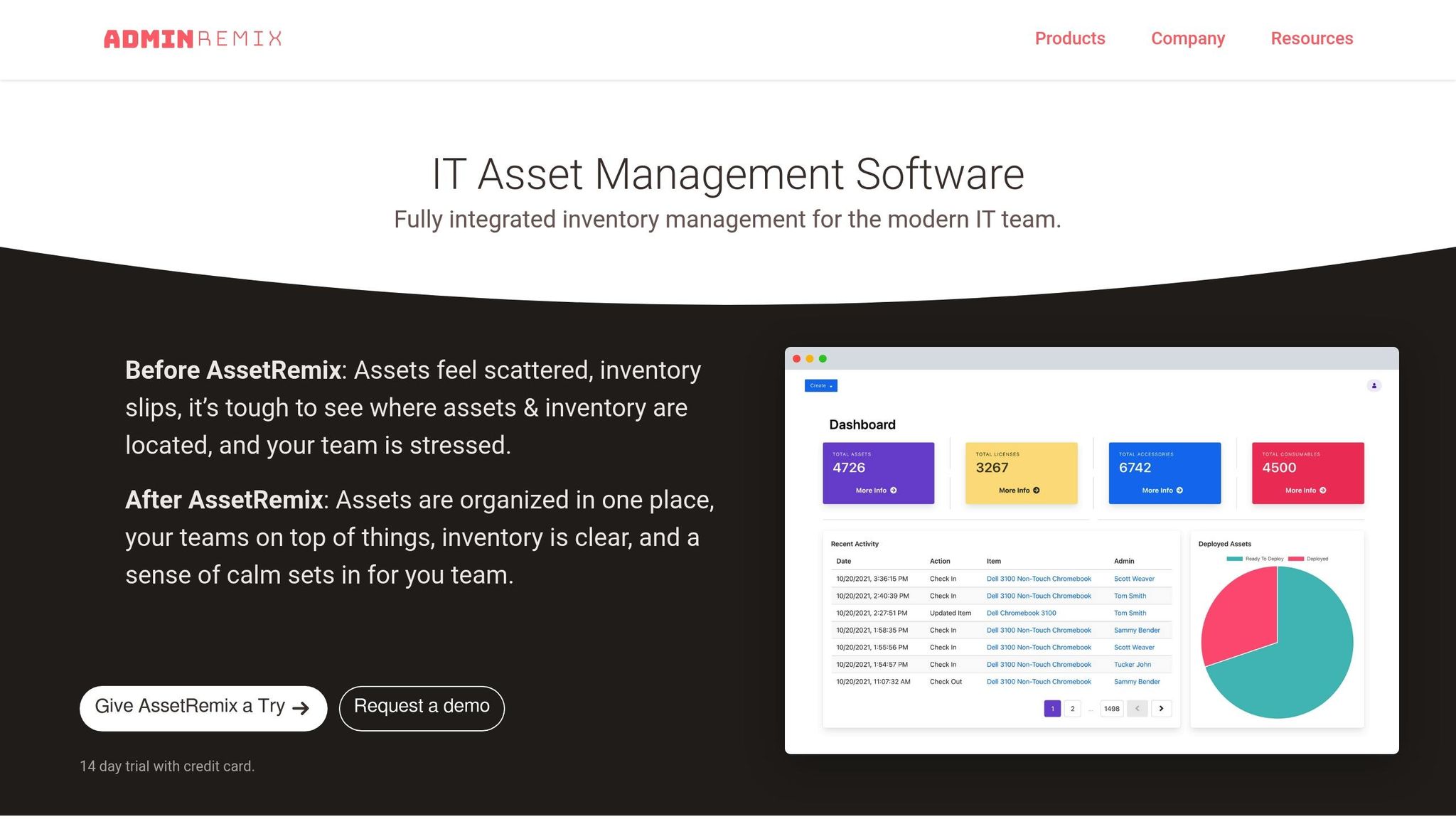
Switching your asset tracking to the cloud removes the hassle of maintaining on-site servers and manual updates. With AssetRemix, you can access your asset data instantly from anywhere - whether you're managing operations in Chicago or overseeing a remote team scattered across different states. This cloud-based approach simplifies your workflow and sets the stage for advanced integrations we'll explore below.
Cloud-Native Features and Integrations
Cloud-native platforms like AssetRemix handle security updates and system patches automatically, saving your IT team time and effort. Plus, AssetRemix integrates seamlessly with Google Workspace, pulling in user data, device details, and license information. This ensures that your asset records are updated immediately whenever new devices or licenses are added.
The pricing is straightforward: $99 per month or $999 annually. This includes unlimited assets, help desk agents, and issue tracking. Compared to traditional on-premises solutions that require costly hardware and ongoing maintenance, AssetRemix offers a predictable and budget-friendly alternative.
Tailored for Hybrid and Remote Work
Cloud-based IT asset management tools provide real-time visibility, making it easier to manage hybrid and remote teams. For instance, AssetRemix uses agent-based scanning to track devices that frequently disconnect from the corporate network. This ensures your records stay accurate, even for laptops and mobile devices that aren’t always online.
Boosting Efficiency Through Automation
Real-time visibility is just the beginning. Automating routine tasks takes efficiency to the next level. Relying on spreadsheets or paper logs for asset tracking can slow things down and lead to errors. AssetRemix eliminates these bottlenecks, reducing manual data entry and freeing up your IT team to focus on more strategic projects. Automated updates and security patches also help maintain a secure and efficient system across multiple locations.
Smarter Decisions with Unified Data
AssetRemix doesn’t just streamline processes - it also helps you make better decisions. Unified dashboards bring together IT, IoT, and OT data into one view, offering a complete picture of your technology environment. This level of insight allows you to make informed choices about asset lifecycle management, refresh schedules, and budgeting. With all your data in one place, smarter planning becomes second nature.
2. Automate Asset Workflows With Google Workspace Integrations
Bringing your IT asset management system and Google Workspace together can simplify your operations while cutting down on repetitive manual tasks. A cloud-based tool like AssetRemix keeps user directories and asset records aligned in real-time, so your data stays up-to-date without constant manual effort. This is especially helpful for hybrid and remote teams, offering real-time visibility and smoother collaboration. Plus, this integration lays the groundwork for powerful automation tailored to cloud environments.
Cloud-Native Integration
With its cloud-native setup, AssetRemix ensures that updates flow seamlessly between your IT directory and asset database. This means your IT team spends less time on tedious data entry and more time focusing on strategic decisions and preventive maintenance.
Boosting Efficiency With Automation
Routine updates? Handled. AssetRemix automates these tasks, freeing your IT team to tackle bigger initiatives. Automated updates also ensure critical information is always current, making lifecycle management and maintenance planning far more efficient.
Insights That Drive Decisions
Automation doesn’t just save time - it delivers insights. By unifying hardware inventory and software license data, AssetRemix provides a clear, actionable view of your IT landscape. Features like automated reporting and real-time dashboards let you track asset performance, spot trends, and plan refresh cycles based on actual usage. These insights help you make smarter decisions, optimize IT budgets, and stay ahead in managing your resources effectively - all while supporting proactive lifecycle management in today’s fast-paced IT environments.
3. Use Barcodes, QR Codes, and NFC for Asset Identification
Tagging IT assets with barcodes, QR codes, or NFC-enabled RFID tags can revolutionize how you track and manage your equipment. These methods replace error-prone manual tracking with a system that’s faster and more reliable. By assigning unique IDs to each asset, you can scan them instantly instead of manually jotting down serial numbers or digging through spreadsheets. Plus, you can include details like department and location on the labels to keep records accurate and organized. For instance, a university successfully implemented QR code tagging for its IT equipment, allowing staff to quickly verify where items were being used across various departments. This approach is especially useful for assets that frequently move between different workspaces.
Support for Hybrid and Remote Work Environments
RFID tags stand out when it comes to tracking assets that travel between offices, employee homes, or remote locations. Unlike barcodes, RFID can identify multiple items at once without needing a direct line of sight. This makes it ideal for hybrid work setups, where laptops, monitors, and other devices are constantly on the move. When paired with cloud-based systems, these technologies provide real-time updates on asset locations - whether they’re in an office, at an employee’s home, or stored in a facility. This visibility ensures IT teams can keep track of equipment no matter where it’s being used.
Automation and Efficiency Improvements
Integrating RFID technology doesn’t just enhance accuracy - it transforms efficiency. Studies show that RFID can achieve inventory accuracy rates of 95–99% while reducing labor costs by 30–40%. By cutting down on manual data entry and search time, your team can maintain up-to-date asset information synced in real time with cloud systems. This eliminates redundancies and errors, freeing up IT staff to focus on more strategic projects instead of routine inventory management.
4. Improve Asset Visibility for Hybrid and Remote Teams
Managing IT assets becomes trickier when dealing with distributed teams. Without the right tools, devices can easily fall off the radar. To prevent this, it's crucial to use systems that provide constant, location-independent visibility into your assets. Let’s take a closer look at how cloud-native solutions simplify this process.
Cloud-Native Capabilities and Integrations
Cloud-native asset management platforms give you real-time insights into your entire tech ecosystem. These systems automatically sync whenever a device connects to the internet. For instance, you can check the status of a laptop whether it’s at your New York office or at an employee’s home in California. Plus, they integrate seamlessly with tools like Google Workspace, making it easier to connect asset management with your existing workflows.
What makes these platforms especially useful for distributed teams is their ability to update records in real time. As employees move between office and remote settings, IT teams can monitor device health and compliance instantly - no need to wait for periodic audits.
Support for Hybrid and Remote Work Environments
Modern tracking systems, powered by cloud technology, bring continuous visibility into asset status and performance. This is a game-changer for remote and hybrid teams. Real-time tracking allows IT teams to monitor devices from anywhere, ensuring they stay on top of issues like location, performance metrics, and compliance.
For example, if an employee runs into a technical problem, IT can use real-time data to assess the situation and address the issue quickly. This level of responsiveness not only keeps operations running smoothly but also reduces downtime for remote workers.
5. Connect Help Desk and Incident Data to Asset Records
Separating help desk data from asset records can leave you in the dark about critical insights. By linking support tickets to asset records, you gain a clearer picture of device performance, recurring user issues, and potential failures before they escalate.
Cloud-Native Capabilities and Integrations
Modern cloud-native systems bridge IT Asset Management (ITAM) and IT Service Management (ITSM) by directly linking help desk tickets to asset histories. Let’s say a user reports an issue - these systems automatically connect the ticket to essential details like the device’s warranty, maintenance history, and configuration specifics.
Take AssetRemix as an example. When a user flags a problem with their laptop, the system ties the ticket to the device’s past incidents, warranty status, and maintenance records. It even integrates seamlessly with Google Workspace, ensuring user data and device information stay in sync across your IT environment.
Picture this: an IT technician in Seattle can instantly pull up the complete incident history of a device being used by an employee in Miami. This kind of integration makes resolving issues quicker and enables proactive maintenance without the guesswork.
Automation and Efficiency Improvements
Automating the connection between help desk tickets and asset records eliminates repetitive manual work. When an incident is logged, the system automatically pulls key details like model numbers, purchase dates, assigned users, and previous issues - streamlining the troubleshooting process.
Here’s an example: if multiple employees report similar problems with laptops purchased in January 2025, the system flags this pattern right away. Your IT team can then preemptively reach out to other users with devices from the same batch, addressing issues before they escalate.
This efficiency also extends to warranty management. If a device under warranty generates a support ticket, technicians can immediately see coverage details and start the claims process without delay.
Data-Driven Decision-Making and Reporting
Beyond operational improvements, linking incident data to asset records fuels smarter decision-making. It provides a clearer view of device reliability and overall costs. You can identify models with frequent support tickets, spot underperforming devices, and uncover trends that inform purchasing strategies.
For example, during budget planning, concrete data - like failure rates, repair expenses, and productivity losses - can justify decisions about refresh cycles or switching vendors. Instead of relying on assumptions, you’ll have the hard numbers to back up your choices.
sbb-itb-c68f633
6. Track Software, Subscriptions, and Google Workspace Licenses
Using spreadsheets to manage software and subscription tracking can lead to missed renewals, duplicate purchases, and compliance issues. Switching to a dedicated tracking system helps avoid these pitfalls and provides a clear view of your software expenses.
Cloud-Native Capabilities and Integrations
Keeping track of Google Workspace licenses is a constant task, especially as employees join, leave, or change roles.
AssetRemix simplifies this process by automatically syncing license assignments with Google Workspace. When a new employee starts, the system records their license allocation instantly. Similarly, when someone leaves, it helps you determine when a license can be reclaimed, so you're not paying for unused seats.
The integration also provides a detailed breakdown of which Google Workspace edition each user is assigned - whether it's Business Starter, Business Standard, Business Plus, or Enterprise. This level of detail can help pinpoint areas where costs can be adjusted.
Automation and Efficiency Improvements
By integrating with Google Workspace, automated tracking takes the hassle out of managing renewals and costs.
Instead of manually logging software purchases, renewals, and cancellations, IT asset management (ITAM) software automates the entire process, reducing errors and saving time. Automated alerts ensure you never miss a subscription renewal, helping you avoid unexpected charges. The system keeps tabs on renewal dates, costs, and contract terms, so nothing slips through the cracks.
For Google Workspace, real-time automation captures every license update - whether you're onboarding a new hire or reallocating licenses - keeping your records accurate for audits and budget planning.
Data-Driven Decision-Making and Reporting
Detailed tracking data offers insights into spending patterns. By monitoring software subscriptions and license usage, you can identify unused licenses and cut unnecessary expenses.
For instance, tracking Google Workspace licenses over time can reveal gaps between purchased and actively used licenses, prompting a review of your allocation strategy. The system’s reporting features also support compliance by generating detailed records of license usage and purchase histories.
7. Use Data for Lifecycle Management and Refresh Planning
When it comes to managing IT assets, knowing when they were purchased is a cornerstone for planning replacements and budgets. This information forms the backbone of effective asset management.
Without a clear strategy, equipment often gets replaced only after it fails. This reactive approach can lead to rushed decisions, inflated budgets, and reliance on outdated tools.
Data-Driven Decision-Making and Reporting
A well-structured lifecycle plan helps avoid surprise expenses and ensures smooth operations. By analyzing historical data, you can spot trends that indicate when assets are likely to underperform or fail. For instance, if data shows that certain devices start lagging after several years, you can plan ahead and schedule replacements proactively. This not only minimizes unexpected costs but also allows you to negotiate better deals by purchasing in bulk.
Keep an eye on key metrics such as asset age, maintenance costs, warranty expiration, and overall performance. Tracking warranty periods is especially important - it helps you avoid costly out-of-warranty repairs by replacing equipment at the right time.
Cloud-Native Capabilities and Integrations
Tools like AssetRemix simplify this process by automatically tracking purchase dates, warranty periods, and depreciation schedules for all IT assets. The platform calculates the total cost of ownership for each device, factoring in purchase price, maintenance, and support costs. It also generates detailed reports to highlight assets nearing the end of their lifecycle.
When paired with Google Workspace, AssetRemix takes things a step further by linking asset performance to user productivity. This allows you to prioritize replacements for departments struggling with outdated equipment. Automation streamlines these insights into actionable schedules, making refresh planning more efficient.
Automation and Efficiency Improvements
Managing asset refresh schedules with spreadsheets becomes increasingly difficult as inventories grow. Automated systems offer a more reliable solution by continuously monitoring asset health and sending timely alerts for replacements. This eliminates the need for manual updates and ensures nothing slips through the cracks.
8. Set Up Policies, Roles, and Access Controls
When policies and roles aren't clearly defined, IT asset tracking can quickly fall apart, leading to gaps in data integrity. A structured governance framework is the backbone of all the integrations and automations outlined in earlier sections.
Cloud-Native Capabilities and Integrations
Modern cloud-based platforms like AssetRemix come equipped with role-based access control (RBAC) to ensure that sensitive asset data stays in the right hands. With RBAC, you can assign permissions for specific actions - like viewing, commenting, or editing asset information - based on user roles. These platforms also provide real-time audit trails, adding an extra layer of accountability and reinforcing the system’s reliability. Plus, integrations with tools like Google Workspace streamline permissions by syncing them with your organizational structure, cutting down on time spent managing users manually.
Support for Hybrid and Remote Work Environments
Hybrid and remote work setups bring unique challenges to access management. Remote access requires constant validation to safeguard asset data. A good starting point for IT governance is assigning clear roles, such as asset owners, custodians, and license managers, to keep everything running smoothly and in compliance.
- Asset owners make strategic decisions about equipment categories.
- Custodians handle the day-to-day maintenance and tracking of physical assets.
- License managers oversee software entitlements and subscription renewals.
This division of responsibilities ensures accountability and prevents bottlenecks in asset management.
Automation and Efficiency Improvements
As your organization grows, automated systems can step in to monitor access patterns and adjust permissions dynamically, ensuring roles are updated quickly when responsibilities shift. Training employees on access policies is another critical piece - it reduces unauthorized changes and helps minimize errors. Automated alerts tied to role assignments can also improve communication and enforce compliance with established policies.
Access monitoring plays a key role in strengthening your asset management framework. It’s a cornerstone of cybersecurity strategies like Zero Trust frameworks, which verify every access request instead of assuming trust based on location. This approach ensures your asset data remains secure, even when employees work remotely or from various locations. By combining automated tracking with robust access controls, you’ll create a system that’s both efficient and secure.
9. Run Regular Audits and Automated Reconciliations
Keeping asset records accurate and up-to-date is key to making smart decisions throughout their lifecycle. Regular audits combined with automated reconciliations make this possible by ensuring your data stays reliable and actionable.
Using cloud-based tools like AssetRemix can take this process to the next level. These platforms provide a centralized view of all assets, tracking them in real time across one unified system. This creates a single source of truth, making reporting more accurate and helping to pinpoint inefficiencies. Automated reconciliations go a step further by continuously monitoring asset status, usage, performance, and compliance. With real-time insights, you can streamline every stage of the asset lifecycle - from purchasing to retirement.
10. Use Google Meet Tools to Support Asset-Related Collaboration
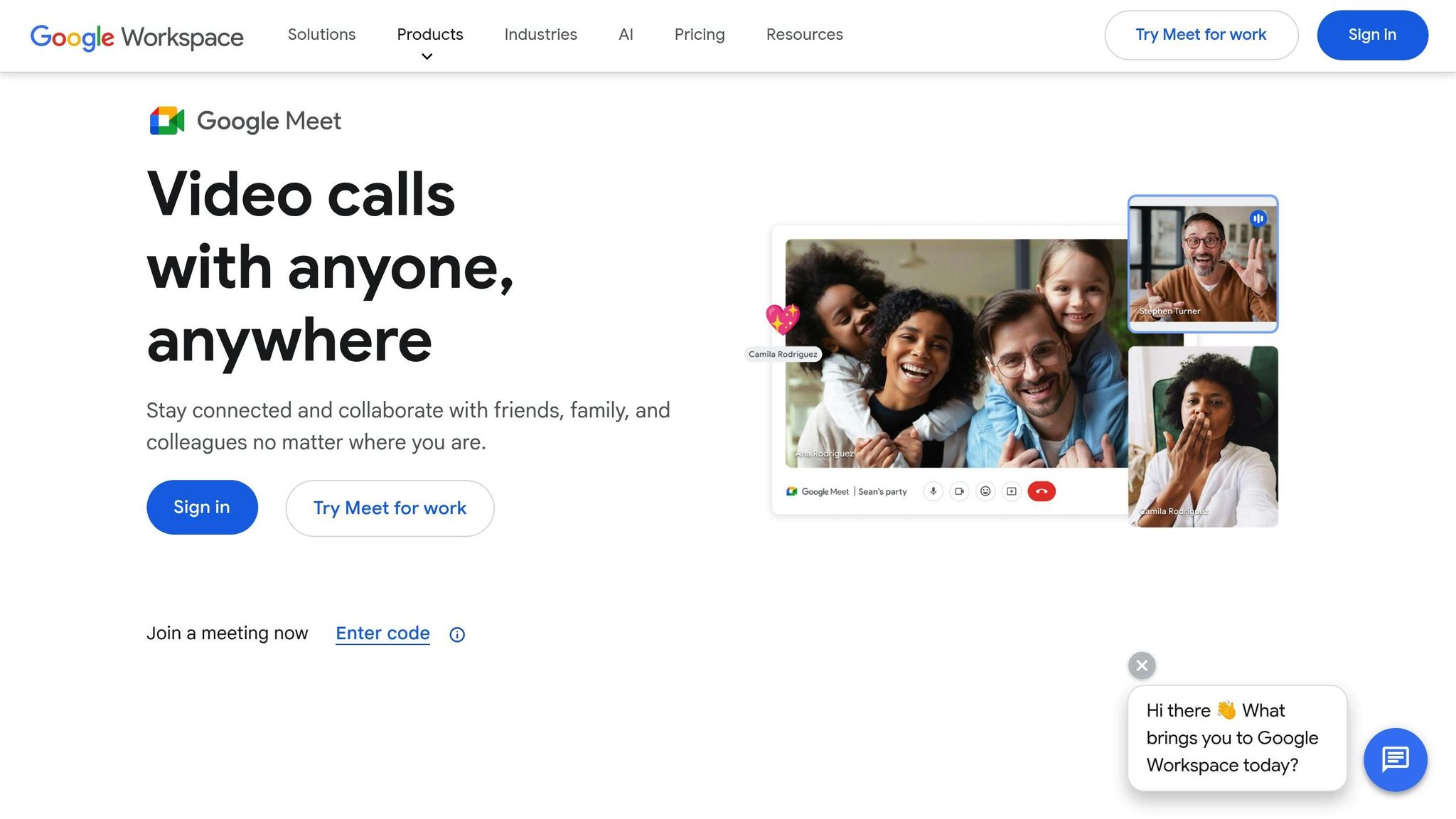
When managing IT assets across distributed environments, having tools that enable real-time collaboration is essential for keeping everything on track.
Supporting Hybrid and Remote Work
For IT teams spread across various locations, seamless video communication is a game-changer. Tasks like managing hardware deployments, troubleshooting, or coordinating asset transfers require clear and efficient collaboration.
Google Meet serves as an excellent tool for these scenarios. Whether you're helping a remote employee set up their equipment or conducting a virtual inspection of hardware, real-time video calls make these tasks more manageable and effective.
Cloud-Native Features and Integrations
Modern IT asset management (ITAM) platforms often integrate with communication tools to enhance functionality. For instance, AdminRemix's Meet Enhancement Suite brings over 40 features to Google Meet, tailored for asset management. Tools like auto-record ensure important discussions about procurement, compliance, or lifecycle planning are captured for future reference. Features like mute-all also come in handy during large-scale planning sessions, ensuring smoother communication.
These integrations are a key part of a broader cloud-based asset management strategy, helping IT teams work more efficiently and stay organized.
Boosting Automation and Efficiency
By auto-recording meetings, Google Meet ensures critical technical discussions and decisions are archived for easy access. Quick video check-ins can often replace lengthy email chains, speeding up resolutions for tasks like asset assignments or maintenance issues. This approach saves time and keeps everyone aligned.
Conclusion
By 2025, it's time to leave manual tracking behind and embrace integrated, cloud-based IT asset management. The approaches we've discussed highlight how modern platforms, automation, and smart integrations can completely reshape how IT teams handle their assets. These strategies bring together all the key elements of modern IT asset management covered earlier.
AssetRemix simplifies asset management by consolidating all asset data in one place, with pricing at $99/month or $999/year. This eliminates the need for spreadsheets and disconnected systems. The result? Businesses using centralized systems report up to a 20% boost in asset utilization rates.
Automation takes efficiency to the next level. It reduces maintenance costs by 20-30% and improves uptime by 10-15%. Routine tasks like asset discovery, lifecycle tracking, and compliance management can run on autopilot, freeing IT teams to focus on strategic goals rather than tedious administrative work.
Google Workspace integrations ensure smooth collaboration and data flow. Whether managing hardware rollouts, tracking software licenses, or planning refresh cycles via Google Meet, these tools keep teams productive and connected, no matter where they are.
Real-time, accurate data empowers smarter decisions. Automated compliance tracking tools reduce the risk of audit failures by 30% compared to manual tracking. Plus, better visibility helps prevent waste - right now, companies lose up to 30% of their IT budgets on unused assets.
With modern tracking tools, robust security, and regular audits, organizations can build systems that thrive in hybrid work environments. According to the 2024 Enterprise Strategy Group Technology Spending Survey, ITAM now ranks 5th among key initiatives for driving strategic ROI and sustainability. For organizations looking ahead, investing in IT asset management is a step toward smarter, more sustainable operations.
FAQs
How do cloud-based IT asset management tools improve productivity for hybrid and remote teams?
Cloud-based IT asset management tools are a game-changer for hybrid and remote teams, offering instant access to asset data no matter where team members are located. This means employees can easily track, update, and manage IT assets without being tied to a physical office.
These tools also simplify processes by automating routine tasks such as inventory updates, scheduling maintenance, and monitoring usage. By consolidating all asset information into a single, easily accessible platform, teams can work together more efficiently, minimize downtime, and keep operations running smoothly in flexible work setups.
What are the advantages of integrating IT asset management with Google Workspace, and how can it streamline asset workflows?
Integrating IT asset management with Google Workspace brings a range of advantages by streamlining and automating essential workflows. For instance, it enables effortless synchronization of asset data with tools like Google Sheets, Calendar, and Drive, ensuring IT assets are consistently tracked and updated in real time.
This setup can also take over repetitive tasks, such as assigning devices to employees or setting up maintenance reminders, helping save time and cut down on mistakes. By consolidating asset-related information within Google Workspace, IT teams gain better visibility, improve collaboration, and ensure operations run more smoothly - especially in hybrid work setups.
How do RFID tags and QR codes improve IT asset tracking accuracy and efficiency?
RFID tags and QR codes bring a modern edge to IT asset tracking by enabling quick, precise identification and real-time updates. These tools help cut down on manual errors and boost efficiency by automating the tracking process.
RFID tags work by using radio waves to track and monitor assets remotely. The best part? They don’t need a direct line of sight, which makes them perfect for managing large inventories. QR codes, on the other hand, offer a budget-friendly option. With a simple scan using a smartphone or tablet, you can access detailed asset information instantly.
Incorporating these technologies into your IT asset management system can simplify workflows, reduce downtime, and give you tighter control over your assets.